How It Works
Transform Your Spreadsheets in 5 Steps
Using the SPMGenerator.com is a quick and easy way to 5X-10X your workflow productivity, with a very low learning curb. Just follow these few steps.
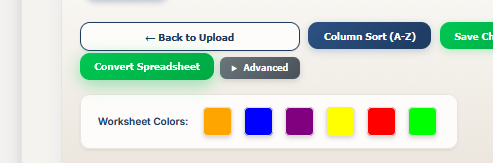
Take a look at a Worksheet Color list.
Every output Program (.exe), App or Plugin the SPM Generator creates from your spreadsheet is created using a Worksheet Color list. The Worksheet Color List has useful information specific to the type of output. The different colors corresponds to different roles or functions you wish your spreadsheet data to have.
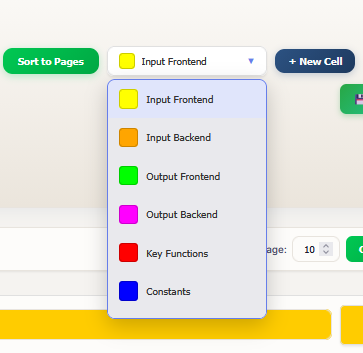
For Example: The Plugin Output Contains (Yellow-Input Frontend), (Orange-Input Backend) and (Green-Output Frontend). By changing the background color of any cells in your spreadsheet you can direct that data to that color's role. It's that easy!
Color Cells in Your Spreadsheet
Simply, open the spreadsheet you wish to convert and select a cell. Then change the background color to one of the colors among the Worksheet Color List.
Change as many as you need to gain the functionality you desire. Estimated time, about 2mins, depending on the size of the spreadsheet.
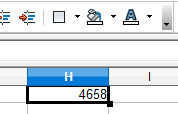
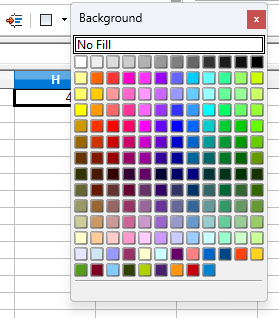
Once you have done this, you should then have a formatted spreadsheet ready for Conversion.
Get Started, Login, and Upload
Click the "Get Started" button on the Splash page. You will be given the option to login or create an account before uploading your spreadsheet. You may also choose to upload without logging in, but your account will not be credited for any transaction. Once your upload is completed, you will be taken to the SPM Generator interface.
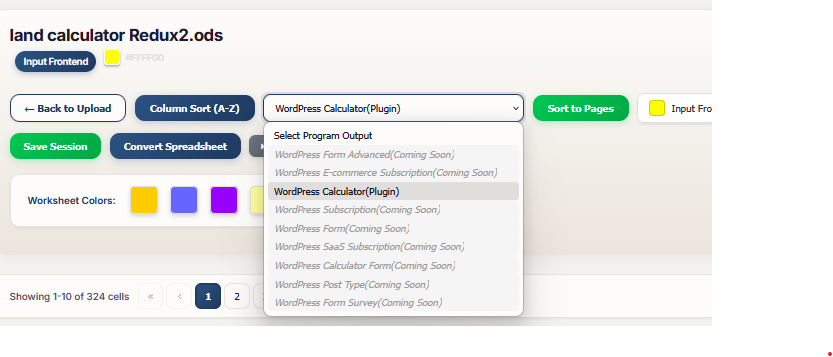
Select Program Output and Match Colors
Start by selecting the Program Output, from the dropdown, you desire. This will apply Worksheet Function Color below your Worksheet Color List. Then select a color from the Worksheet Color List. Match the color with the Function color(s) available, that suites the function you desire. Estimated time, about 30secs.
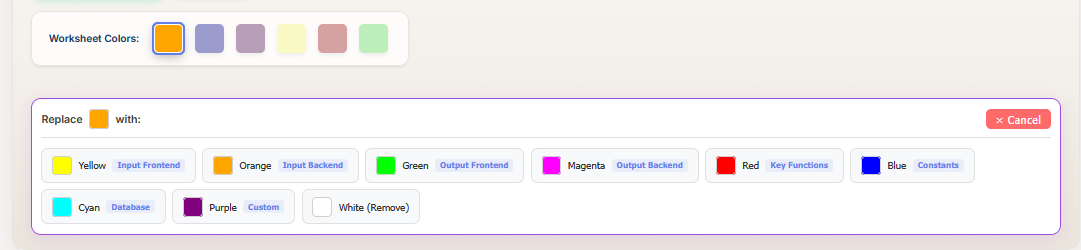
Sort to Pages and Convert
When you are done matching all the colors, Click the "Sort to Pages" button that appears. You are now ready to convert your Spreadsheet. Save your progress if you wish, by clicking the "Save" button.
Click the "Convert Spreadsheet" Button to begin the converting process. Upon completion, you can download your program, plugin or App and enjoy.